
pX Quick Morph Sliders Creation Tool for 3Ds Max
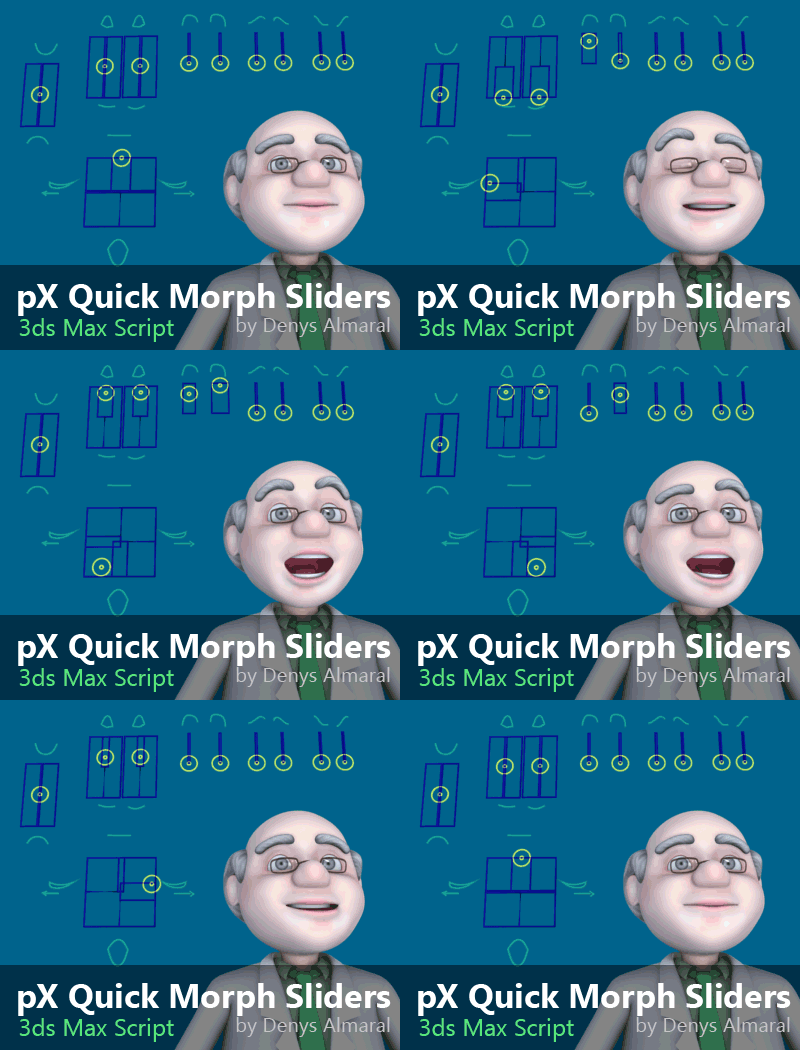
pX Quick Morph Sliders is a MacroScript that automates the creation of shape-based slider controls for morph channels in 3ds Max. It only takes a few clicks to generate controls and wire them to the selected morph targets.
Features
- Mix up to 4 channels.
- Restore existing controllers (Unwire) to morph targets.
- Create sliders for multiple channels or only selected ones.
- Set a name prefix and customize shape colors.
- Remembers your size, colors, and prefix across sessions.
- Option to automatically replace existing sliders by name.
- Optionally make generated controls children of the selected object.
Right-click and save as to download the script, or browse the GitHub folder.
Quick Start
- Install
pxQMorphSliders.msin 3ds Max. - Customize your menus and add the item from category
pX ToolsnamedMorphSliders. - Open the Quick Morph Sliders floater.
- Select an object with the Morpher modifier applied.
- Click ADD MORPH CHANNELS to populate the list.
- Click Create simple sliders.
- Done. Your morpher channels now have simple shape controls wired to them.
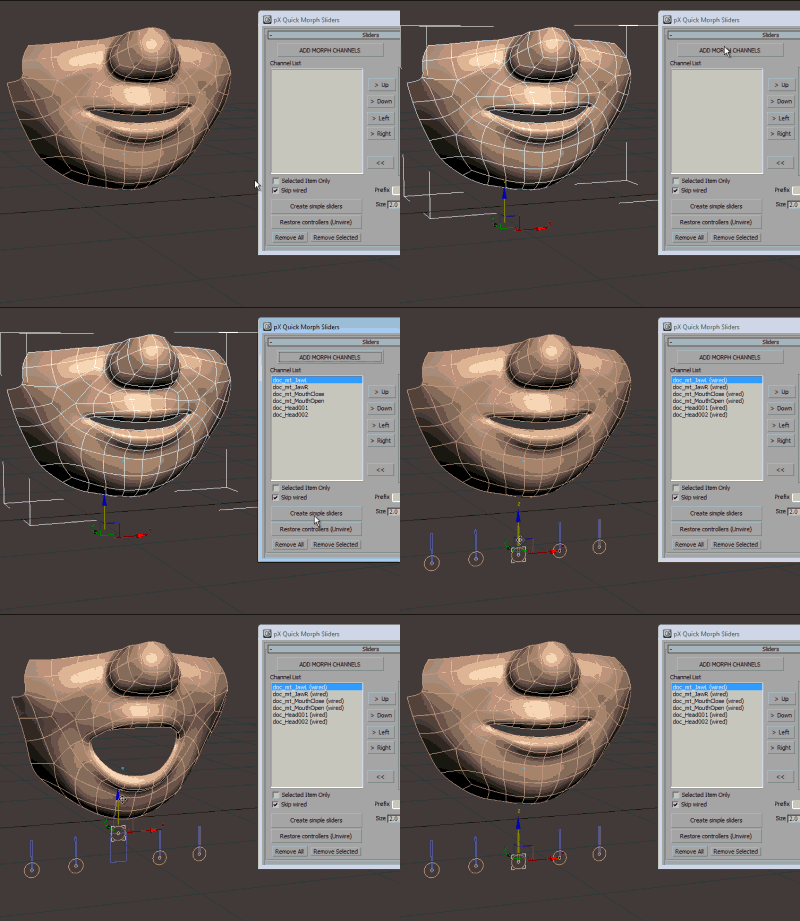
Demo Video
Note: The scene shown in the video is included with the script download. It uses a cartoon-style mouth with 6 morph targets.
User Interface Reference
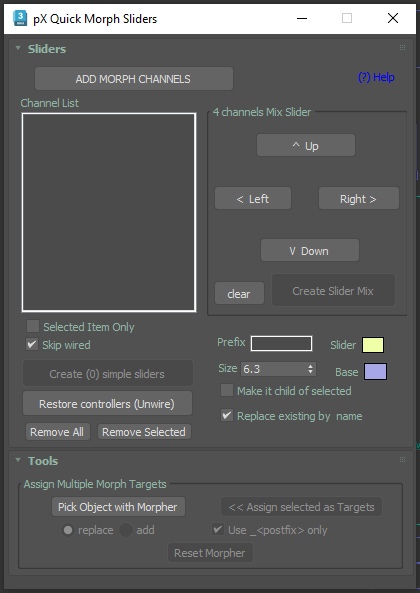
- Add morph channels: Reads all morph channels from the selected object.
- Channel List: Shows the morph channel names.
- Selected Item Only: Creates simple sliders only for the selected items in the list.
- Skip wired: Skips morph channels that are already connected with wire parameters.
- Create simple sliders: Builds simple slider shapes ready for animation.
- Restore controllers (unwire): Disconnects wire parameters and restores Bezier Float controllers.
- Remove All, Remove Selected: Removes morph channels from the list.
- 4 Channels: Mix Slider, Up, Down, Left, Right: Assigns morph channels to the four directions of a mixer slider.
- Create Slider Mix: Creates a slider that can mix up to 4 channels.
- Prefix: Adds a prefix to every shape object created by the tool.
- Size, Slider color, Base color: Customizes the appearance of the generated controls.
- Make it child of selected: Automatically parents the new sliders to your current selection.
- Replace existing by name: Overwrites previously created sliders with the same name to avoid clutter.